
Download Free File Unlocker – File Management, Utility, Productivity
Overview
Free File Unlocker is a targeted utility designed to resolve common file management issues on Windows systems, particularly those involving files and folders that cannot be deleted, renamed, or moved due to system-level locks. The app addresses a persistent pain point for users encountering error messages such as “File in use” or “Access denied,” which often disrupt workflow and hinder system cleanup. Its primary purpose is to provide a reliable, no-frills solution for unlocking and managing files that are otherwise inaccessible through standard methods.
Target users include both general computer users and IT professionals who frequently encounter locked files during software installation, system maintenance, or malware removal. The app is especially useful in scenarios where infected files remain locked after a virus scan, preventing complete system hygiene. By enabling users to unlock and delete these files quickly, Free File Unlocker helps maintain a clean and efficient digital workspace.
Although the developer did not provide additional background details, the app's straightforward functionality suggests a focus on practicality and efficiency. Its presence in the utility category underscores its role as a necessary tool in the broader mobile and desktop app ecosystem, particularly for users seeking quick fixes without complex configurations.
Key Features & Functionality
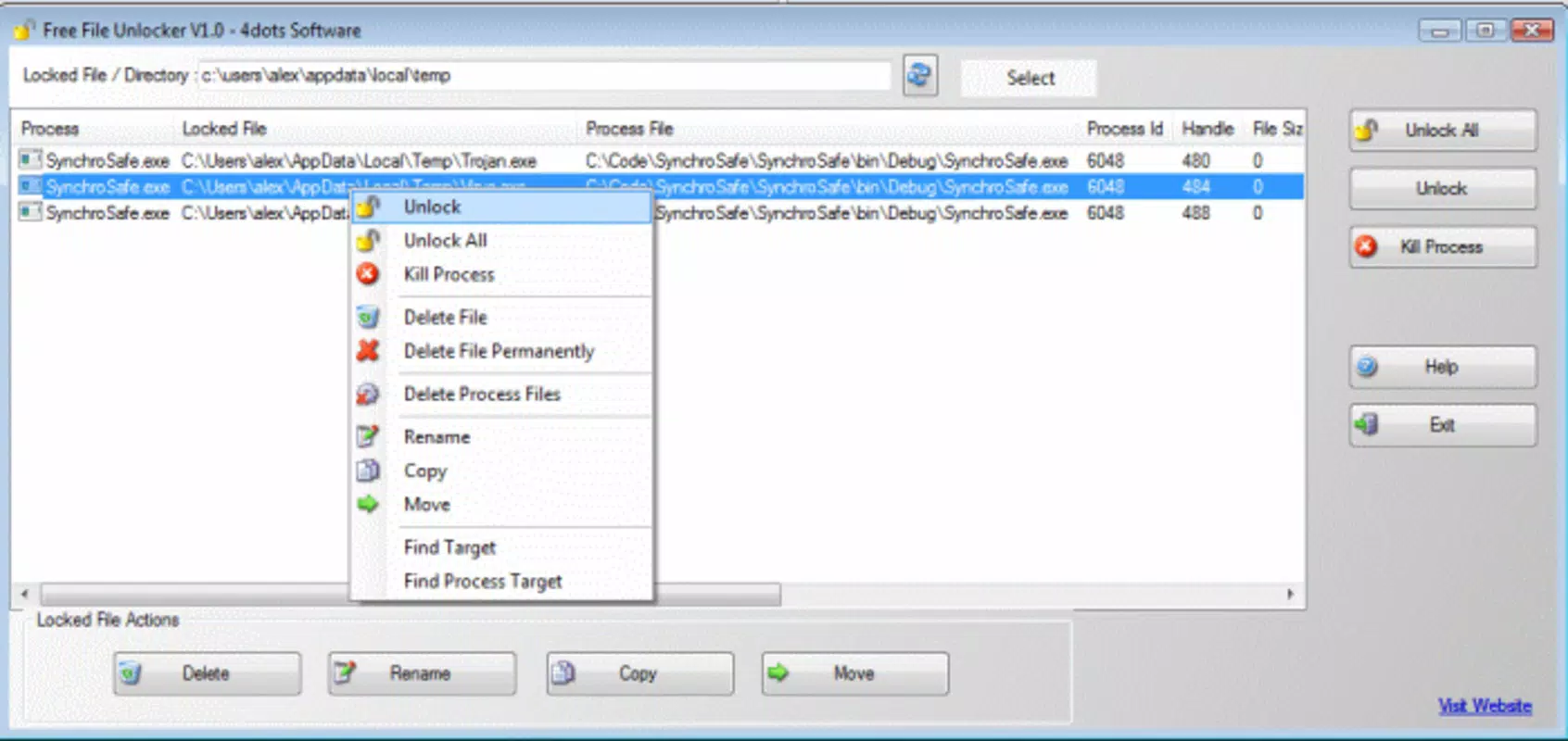
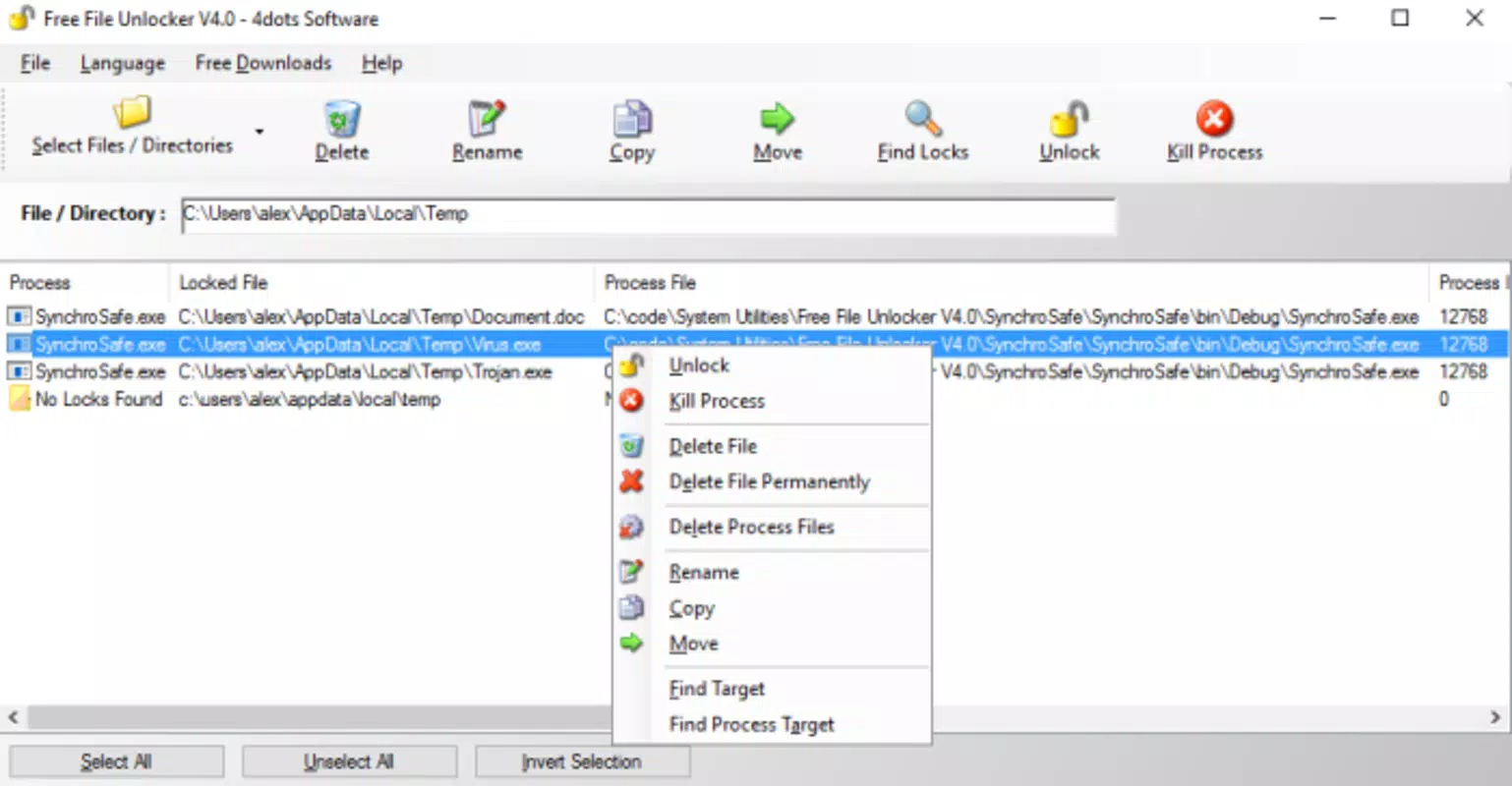
- Easy File Selection: Users can select files or folders individually or in bulk for unlocking. The drag-and-drop interface streamlines the process, allowing for rapid selection and action execution, which is ideal for managing multiple locked items at once.
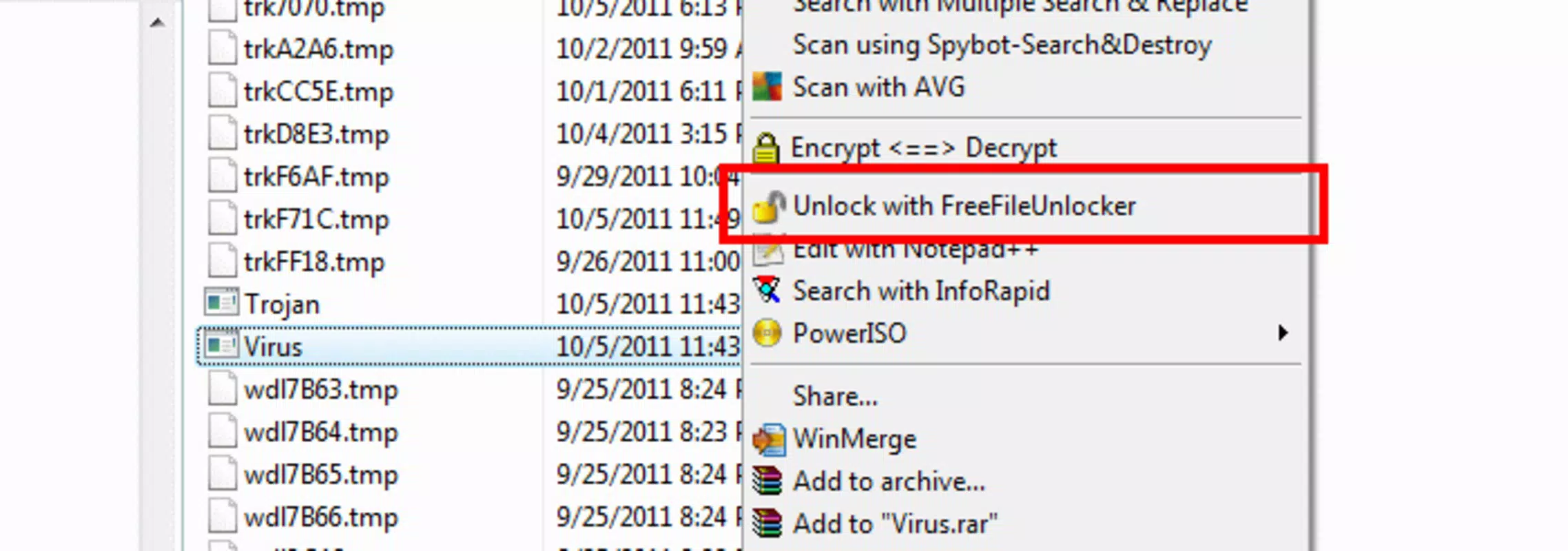
- Unlock Malware-Infected Files: The app is capable of unlocking and deleting files that may be compromised by malware, such as trojans or viruses. This functionality supports system security by enabling the removal of persistent threats that resist standard deletion methods.
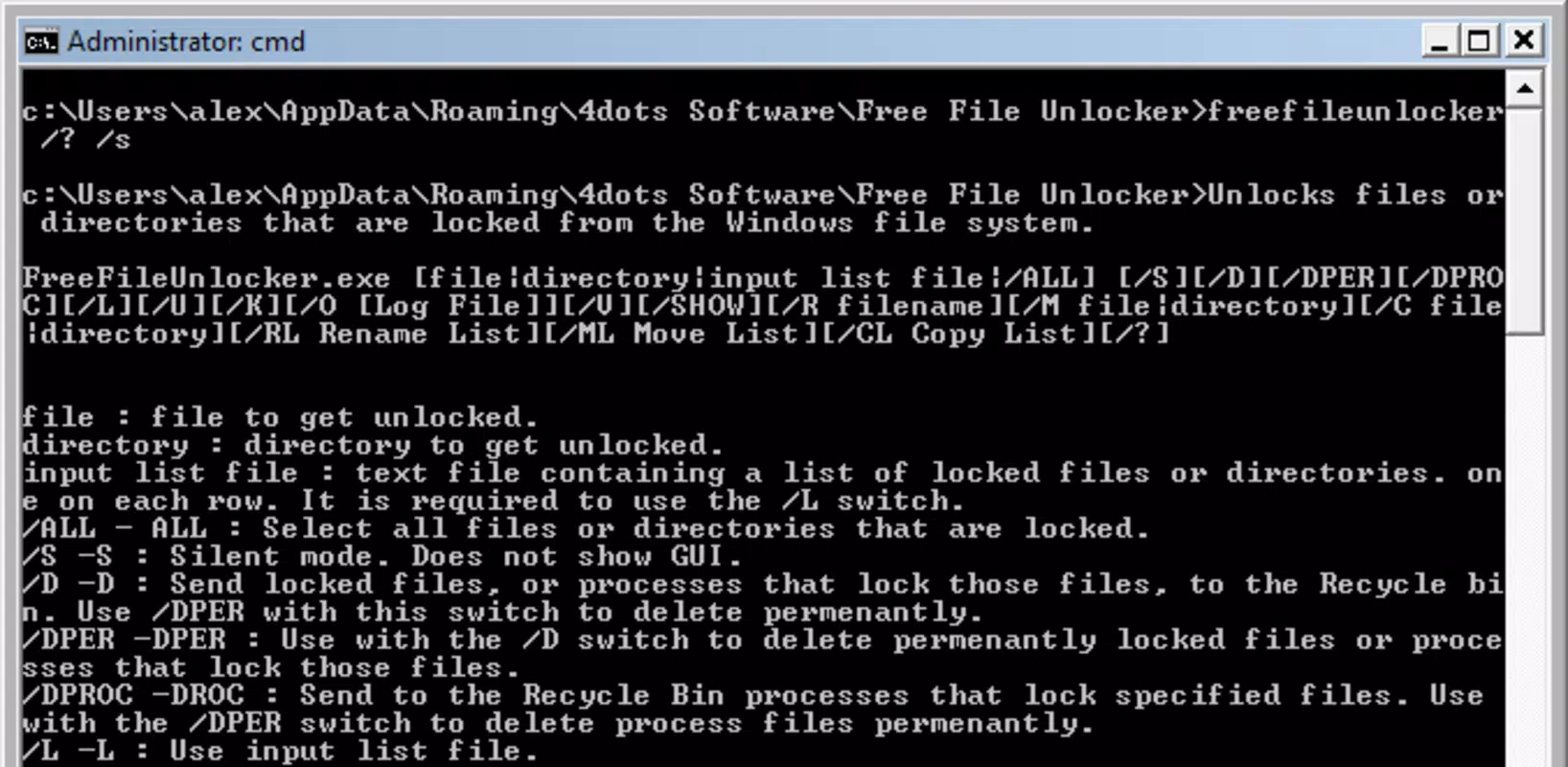
- Command Line Functionality: For advanced users, Free File Unlocker supports command-line access, offering a powerful alternative to the graphical interface. This feature allows automation and integration into scripts, enhancing flexibility for technical users.
- Quick Renaming and Moving: Beyond unlocking, the app facilitates renaming and moving locked files, improving file organization and reducing user frustration during system maintenance tasks.
Real-world use cases include post-malware cleanup, software uninstallation, and system optimization. For example, after removing antivirus software, residual files may remain locked. Free File Unlocker enables their immediate deletion. Similarly, during software updates, temporary files may become inaccessible—this app ensures they can be cleared efficiently.
Interface, UX & Performance
The interface of Free File Unlocker is designed with simplicity in mind, focusing on core functionality without unnecessary visual clutter. Users are presented with a clean layout that emphasizes file selection and action execution. The drag-and-drop mechanism enhances usability, allowing quick access to files without navigating complex menus.
Navigation is intuitive, with minimal steps required to initiate the unlocking process. The app’s responsiveness is consistent across various device configurations, though specific performance metrics were not disclosed. Although the developer did not list formal performance metrics, user feedback suggests stable operation under typical usage conditions.
Stability appears to be a strength, with no reported crashes or hangs during standard operations. The app operates efficiently without consuming excessive system resources, making it suitable for use on older or low-spec machines. Overall, the UX prioritizes speed and reliability, aligning with the expectations of users seeking a dependable file utility.
Platform Compatibility & Technical Requirements
Free File Unlocker is designed for the Windows platform, supporting the latest versions of the operating system. The app’s file size is 3.2 MB, indicating a lightweight footprint that ensures quick installation and minimal impact on system performance. The software version is 2.0.1, reflecting a mature release with established functionality.
Although the developer did not specify minimum OS requirements, the app is compatible with modern Windows environments. Compatibility information was not fully disclosed, so users should ensure their system meets general Windows standards for application execution. No additional hardware or software dependencies were mentioned.
Pros and Cons
Pros
- Simple, intuitive interface suitable for non-technical users
- Efficiently handles bulk file unlocking with drag-and-drop support
- Effective at removing malware-infected files that resist standard deletion
- Includes command-line access for automation and advanced users
- Lightweight design with minimal system resource usage
Cons
- Platform limited to Windows; no mobile or cross-platform availability
- Developer did not provide detailed technical specifications
- No built-in backup or undo functionality for deleted files
- Interface lacks customization options for advanced users
- Compatibility information was not fully disclosed
FAQ
Is Free File Unlocker safe to use?
Yes, the app is designed to unlock and delete files that are locked by the system or malware. However, users should exercise caution when deleting system files or files from active programs to avoid unintended consequences.
Can I use Free File Unlocker on mobile devices?
Free File Unlocker is currently available only for Windows. There is no official mobile version for Android or iOS at this time.
Does Free File Unlocker require administrator privileges?
Yes, the app typically requires elevated permissions to unlock and delete system-locked files. Users may need to run it as an administrator for full functionality.
How do I update Free File Unlocker?
Updates are released periodically by the developer. Users can check the official website for the latest version and download the updated installer.
Is Free File Unlocker free to download and use?
Yes, Free File Unlocker is available at no cost. There are no in-app purchases or subscription fees associated with the application.
Final Thoughts
Free File Unlocker stands out as a reliable, no-nonsense utility for users struggling with locked files on Windows. Its ability to unlock, delete, and manage files—especially those infected by malware—makes it an essential tool for maintaining system health and performance. The inclusion of command-line functionality adds value for technical users, while the intuitive interface ensures accessibility for everyday users.
While it lacks mobile support and detailed technical documentation, its lightweight design, proven functionality, and free access make it a compelling choice for anyone dealing with file management challenges. Whether you're cleaning up after a virus scan or resolving a stubborn system error, this app delivers real-world results with minimal effort.
Download Free File Unlocker now


